













The help desk for MSPs: end-to-end ticket resolution in your PSA Help desk automation that grows EBITDA, outperforms SLA targets, and shortens resolution times. Free your L1 techs from low-margin, repetitive work so you can grow your MSP without adding headcount. |
| See how Fixify works for MSPs |
- The Best MSP Help Desk Solutions for MSPs in 2026
- Top help desk software comparison
- What is help desk software for MSPs
- Zoho Desk: Best overall
- Fixify: Best for automating Tier 1 MSP support
- LiveAgent: Best for intuitive setup and use
- ManageEngine ServiceDesk Plus: Best for reporting and dashboards
- SolarWinds: Best for flexible and upfront pricing
- Freshdesk: Best for advanced features
- Intercom: Best for AI-enhanced support
- How to choose MSP help desk software
- Bottom line: Invest in the right helpdesk service
- How we evaluated the best help desk tools
- How to choose MSP help desk software
- Bottom line: Invest in the right helpdesk service
- Frequently asked questions about MSP help desk software
The Best MSP Help Desk Solutions for MSPs in 2026
The best MSP help desk software in 2026 is Zoho Desk for most small and midsize MSPs, thanks to its combination of affordable pricing, ticketing, automation, multichannel support, and customization. Fixify is our top choice for MSPs that want to automate Tier 1 support within an existing PSA, while ManageEngine ServiceDesk Plus is best for larger MSPs that need advanced reporting and asset management.
Top help desk software comparison
| Ticket and issue tracking | AI and automation | Customer portals | Data analytics and reporting | Starting price (annually) | |
|---|---|---|---|---|---|
| Zoho Desk | Yes | Yes | Yes | Yes | $7 per user, per month |
| Fixify | Yes | Yes | Yes | Yes | $15 per resolved ticket |
| LiveAgent | Yes | Yes | No | No | $15 per user, per month |
| ManageEngine | Yes | Yes | Yes | Yes | $13 per user, per month |
| SolarWinds | Yes | Yes | No | Yes | $39 per technician, per month |
| Freshdesk | Yes | Yes | Yes | Yes | $19 per agent, per month |
| Intercom | Yes | Yes | Yes | No | $29 per seat, per month |
What is help desk software for MSPs
Help desk software for MSPs is a multi-client platform that centralizes support across customers, offering automated ticketing, issue tracking, SLA management, reporting, and other IT-focused capabilities.
Unlike internal IT or generic customer support tools, it supports client-specific workflows, strict service-level tracking, and integrations with PSA and RMM systems to manage service delivery at scale.
How MSP help desk software works
While help desk platforms include many features, several solutions are built around three core workflows:
- Ticket intake across channels (email, portal, chat, Teams): Captures and organizes requests in one place for faster, more consistent responses.
- Automated triage, routing, and prioritization: Automatically categorizes tickets and prioritizes them based on urgency and impact.
- SLA tracking and escalation: Monitors service performance against SLA timelines and triggers alerts or escalations when tickets are at risk of breaching agreed service levels.

Zoho Desk: Best overall
Zoho Desk pros and cons
| Pros | Cons |
|---|---|
| Vast support features | No desktop app |
| Many integration options | Has a learning curve |
| User-friendly interface | Basic reporting |
Overall Rating: 4.4/5
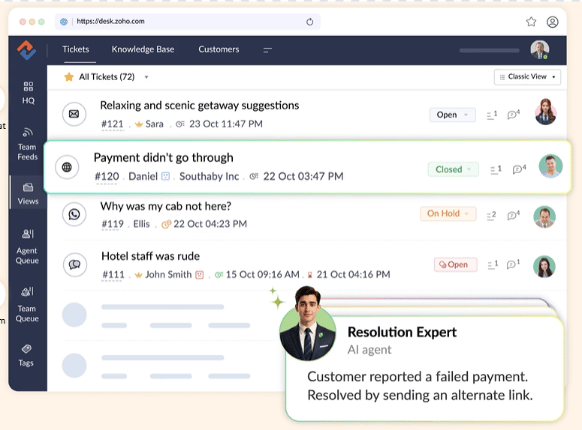
Zoho Desk is my pick as the best overall help desk software. Created to be the single point of contact for managing customer support activities, it offers affordable plans, customization, and a solid set of core features, including ticketing, automation, and multi-channel support, along with reliable customer support. Zoho Desk also provides a wide range of integration options.
Although Zoho Desk is highly integrable, it’s not the most intuitive tool. For a more user-friendly tool, consider SolarWinds.
Zoho Desk is a strong fit for MSPs that want a well-rounded help desk solution with solid core features at an affordable price. It is especially suitable for small to mid-sized MSPs that need a comprehensive set of capabilities without breaking the bank.
Zoho Desk key features
- Multi-channel support: Manage your support tickets via email, chat, phone, and social media from a single dashboard.
- Advanced response editor: Tailor your responses to different situations based on customer needs.
- Team collaboration: Help your support teams collaborate on tickets more quickly with features like instant messaging.
- Security: Use roles and profiles to protect customer data while giving your teams the information they need.
Zoho Desk pricing
- Free version: Supports up to 3 users
- Express: $7 per user, per month
- Standard Plan: $14 per user, per month
- Professional Plan: $23 per user, per month
- Enterprise Plan: $40 per user, per month
- Free trial: 15 days

Fixify: Best for automating Tier 1 MSP support
Fixify pros and cons
| Pros | Cons |
|---|---|
| Integrates with existing PSA tools | Does not provide its own ticketing system |
| AI automation with human oversight | Requires integrations for some automated workflows |
| 24/7 support coverage | Newer option than established help desk platforms |
Overall Rating: 4.3/5
For MSPs that want to automate repetitive IT support work, Fixify is our pick. Fixify is an AI-powered help desk automation platform designed to handle Tier 1 support while working within an MSP’s existing PSA and IT stack.
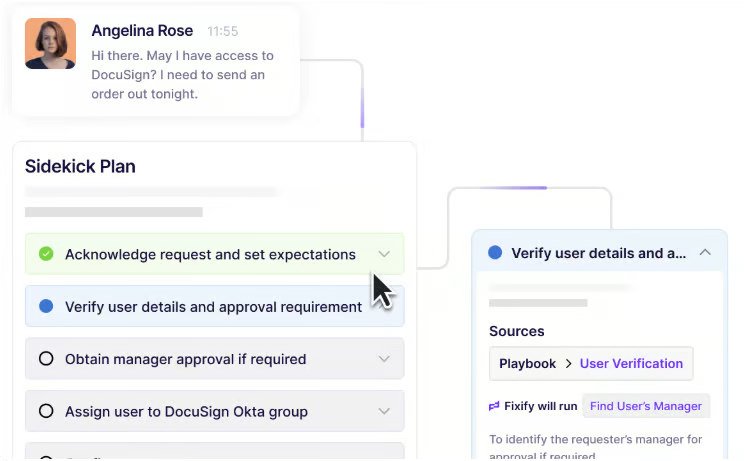
Instead of requiring MSPs to replace their ticketing system, Fixify integrates with existing PSA platforms and uses AI-powered playbooks to automate common support requests and workflows.
Fixify also provides 24/7 support coverage and gives MSPs visibility into metrics such as resolution rates and SLA performance.
Fixify is best for MSPs looking to reduce repetitive Tier 1 work and expand their help desk capacity without replacing their existing service management tools.
Fixify Desk key features
- Tier 1 automation: Automates common support requests, including application access, MFA issues, password resets, and troubleshooting.
- PSA integrations: Integrates with MSP platforms including ConnectWise PSA, HaloPSA, and NinjaOne PSA.
- AI-powered playbooks: Creates client-specific playbooks based on an MSP’s existing rules and workflows.
- Human-supervised automation: Combines AI automation with human supervision, including a supervised ramp for new automations and 24/7 human analyst availability.
Fixify pricing
Fixify’s MSP pricing is set at $15 per resolved ticket.

LiveAgent: Best for intuitive setup and use
LiveAgent pros and cons
| Pros | Cons |
|---|---|
| Intuitive interface | UI needs revamping |
| Easy to use and set up | EU-based tech support |
| Vast pricing options | Limited mobile app |
Overall Rating: 4.3/5
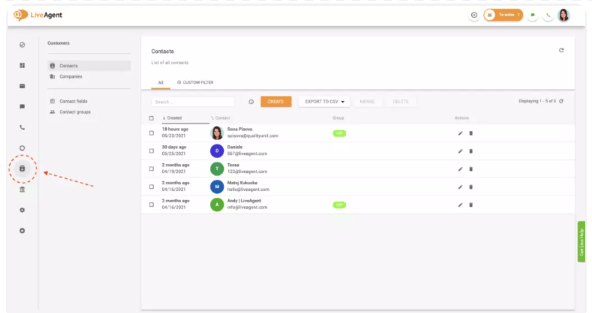
LiveAgent offers a blend of extensive customization options and a highly intuitive user interface. It’s easy to deploy, allowing support agents to get up and running quickly so they can focus on client issues.
This focus on usability is illustrated by features like proactive chat invitations, which invite visitors to chat only when enough agents are available to engage.
While LiveAgent is user-friendly, its customer support can be inconsistent, and its EU-based tech support may be a drawback for MSPs outside the region. For an alternative that combines ease of use with strong customization and support, consider ManageEngine ServiceDesk Plus.
LiveAgent is best for MSPs that prioritize quick setup, minimal training, and a straightforward support experience.
LiveAgent key features
- Live chat: Use real-time chat widgets to provide support for website visitors and customers.
- Ticketing: Gather and manage communications from all channels to resolve customer queries.
- Performance analytics: Measure data to track agent performance and customer satisfaction.
- Mobile application: Handle customer requests on the go using Android and iOS applications.
LiveAgent pricing
- Free: Up to 7 days of ticket history
- Small Business: $15 per user, per month
- Medium Business: $29 per user, per month
- Large Business: $49 per user, per month
- Enterprise: $69 per user, per month
- Free trial: 30 days

ManageEngine ServiceDesk Plus: Best for reporting and dashboards
ManageEngine ServiceDesk Plus pros and cons
| Pros | Cons |
|---|---|
| Cost-effective tool | Complex setup |
| Strong asset management features | Limited customer support |
| Highly scalable solution | Higher learning curve |
Overall Rating: 4.2/5
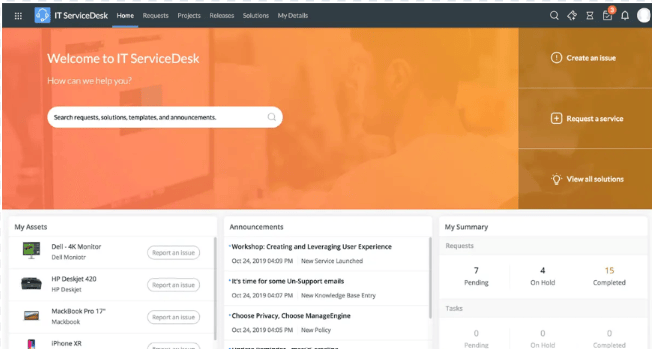
ManageEngine ServiceDesk Plus is an all-in-one service desk solution that provides customizable reports and dashboards to help enterprise users track their help desk’s health.
Its native reporting tools support data-driven insights, including inventory reporting with custom, query-based, and preconfigured report options for key metrics. It also offers interactive dashboards that let teams combine multiple reports into a single view.
Even though ManageEngine is thorough and highly customizable, it’s not the easiest to use. For a similar feature set with a more user-friendly experience, consider Freshdesk.
ManageEngine ServiceDesk Plus is best for larger MSPs maintaining complex IT environments that need extensive reporting and customizable dashboards.
ManageEngine ServiceDesk Plus key features
- Customizations: Create a service desk that aligns with your objectives.
- Asset management: Discover, manage, and track your hardware and software assets.
- Efficient automations: Automate repetitive tasks and processes for your service desk teams.
- Reporting and dashboards: Monitor your service desk health with native reporting.
ManageEngine ServiceDesk Plus pricing
- Standard: $13 per user, per month
- Professional: $27 per user, per month
- Enterprise: $67 per user, per month
- Free trial: 30 days

SolarWinds: Best for flexible and upfront pricing
SolarWinds pros and cons
| Pros | Cons |
|---|---|
| Transparent pricing | Could be easier to use |
| Highly scalable | Limited customizability |
| Robust security features | Setup can feel complex |
Overall Rating: 4.1/5
SolarWinds ServiceDesk is a cloud-based service desk solution with a variety of automation features to maximize productivity, along with transparent, flexible pricing.
Although many tools on this list have additional fees, SolarWinds ServiceDesk’s pricing structure is clear: prices are laid out upfront with no hidden costs, allowing businesses to easily understand what they’re paying for and why. This makes budgeting more straightforward and more predictable for MSPs.
While it’s transparently priced, SolarWinds ServiceDesk’s customization options could use improvement. Consider Zoho Desk if you seek greater customization.
SolarWinds is for businesses that want a help desk solution with transparent and flexible pricing.
SolarWinds key features
- Automated ticketing: Automate ticket classification, routing, and correlation capabilities.
- Automated workflows: Streamline ticket resolution with automated processes.
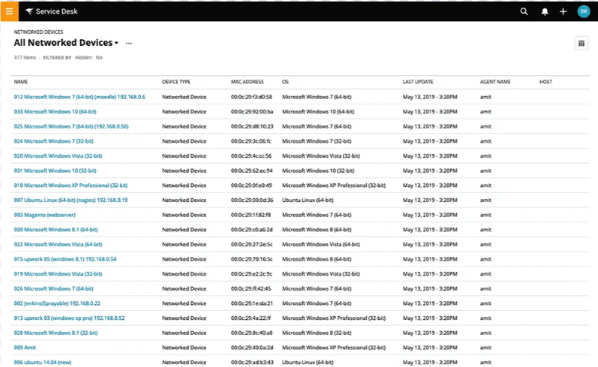
- Dashboards: Observe the current state of your service desk through ServiceDesk’s real-time snapshots.
- Customizable reports: Generate custom reports based on your service desk team’s needs.
SolarWinds pricing
- Essentials Plan: $39 per technician, per month
- Advanced Plan: $79 per technician, per month
- Premier Plan: $99 per technician, per month
- Free trial: 30 days
Freshdesk: Best for advanced features
Freshdesk pros and cons
| Pros | Cons |
|---|---|
| Very customizable tool | Limited integrations |
| Strong ticketing system | Not the easiest to use |
| Robust reports | No 24/7 support |
Overall Rating: 4.1/5
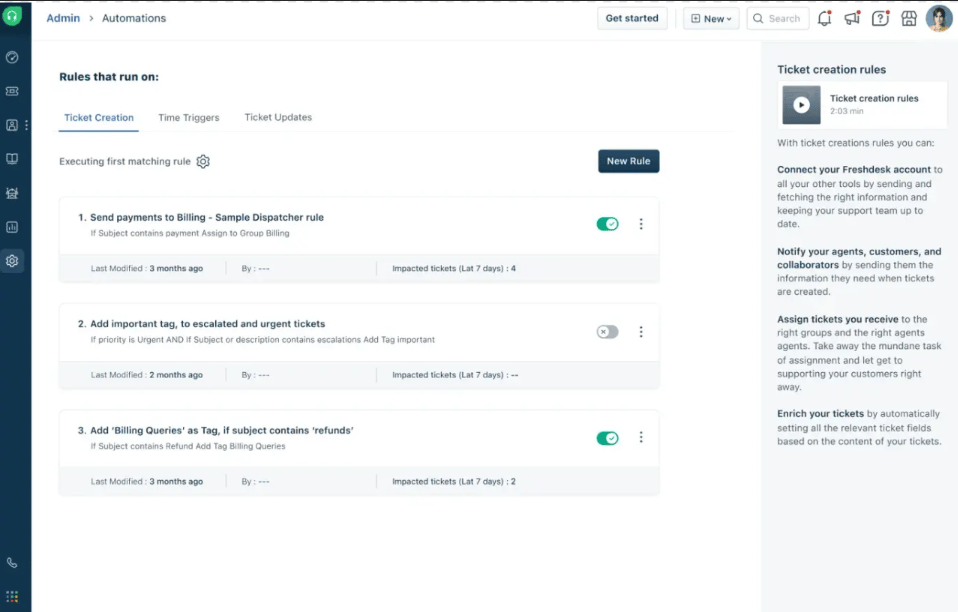
Freshdesk is a cloud-based help desk software that offers a comprehensive set of features suitable for businesses of all sizes. It shines through its range of features, including integrated ticketing, 24/7 email support, and a knowledge base, all available in its free tier.
But you’d have to upgrade to paid plans for features like automation, custom roles, objects and dashboards, customer journeys, community forums, and extendable API limits.
Despite this, Freshdesk is not as integrable as other tools on this list. For a tool with an extensive feature set, high customization, and more integration options, check out Zoho Desk.
MSPs that need both core and advanced features in their help desk software should consider Freshdesk.
With its robust multichannel communication capabilities and strong customization options, MSPs that handle multiple customers can benefit from Freshdesk’s offerings.
Freshdesk pricing
- Free: Supports up to 2 agents
- Growth Plan: $19 per agent, per month
- Pro Plan: $55 per agent, per month
- Enterprise Plan: $89 per agent, per month
- Free trial: 14 days
Freshdesk key features
- Ticket field suggester: Automatically propose ticket fields to segment, prioritize, and route incoming tickets.
- Omnichannel support: Manage and unify support across email, chat, and social media on a single platform.
- Chatbot: Use a chatbot powered by Freddy AI to provide instant and accurate responses to customers.
- Portal customization: Leverage full CSS customization to tailor the look of your support portal.

Intercom: Best for AI-enhanced support
Intercom pros and cons
| Pros | Cons |
|---|---|
| Advanced AI features | Expensive pricing model |
| Real-time chat support | Limited reporting features |
| Highly integrable | Has a learning curve |
Overall Rating: 4/5
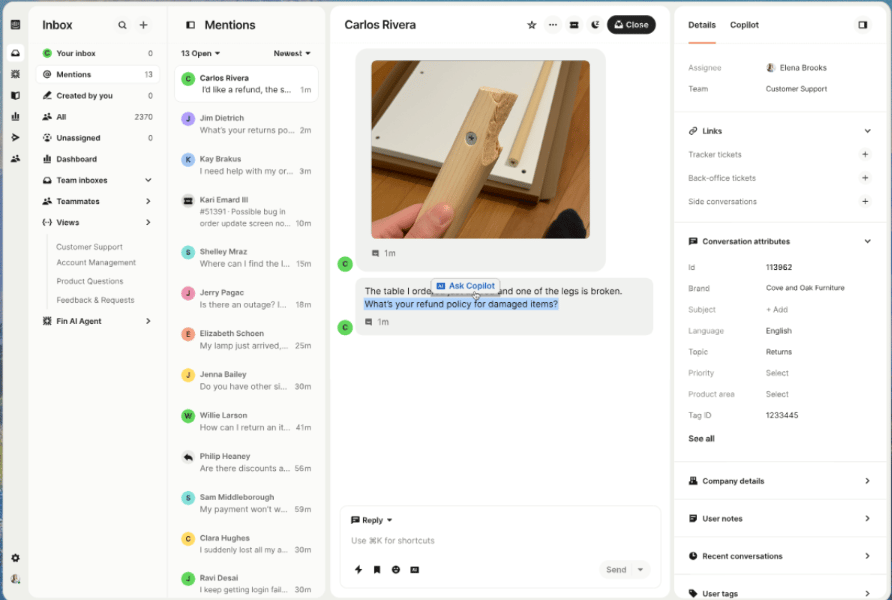
Intercom enables MSPs to leverage AI-enhanced support capabilities, enabling their support teams to work and collaborate more efficiently. It does this through features like automated customer engagement, real-time chat support, and targeted communication.
Its AI-driven chatbots stand out by handling frequently asked questions and routing issues to the appropriate support agents, elevating the overall user experience for both customers and service teams.
On the flipside, Intercom’s customer service isn’t as highly rated as some other tools on this list. For a platform that offers better customer service, check out SolarWinds ServiceDesk.
Intercom is best for MSPs that want to use AI to enhance customer support. It is especially suitable for tech-savvy teams looking to streamline responses, handle high ticket volumes, and deliver more personalized customer experiences through automation.
Intercom key features
- AI bots: Leverage AI-powered chatbots to automate your initial customer interactions.
- Omnichannel support: Access channels like live chat, WhatsApp, phone, and email via Intercom’s inbox.
- Workflows: Use Intercom’s visual builder to automate team workloads with bots, SLAs, and more.
- No-code customization: Use tools in a single workspace to manage multiple help centers.
Intercom pricing
- Essential: $29 per seat, per month
- Advanced: $85 per seat, per month
- Expert: $132 per seat, per month
- Free trial: 14 days
Intercom is a help desk platform that enables MSPs to leverage AI-enhanced support capabilities so that their support teams work and collaborate more efficiently. It does this through features like automated customer engagement, real-time chat support, and targeted communication. Its AI-driven chatbots in particular stand out as they can handle tasks like answering frequently asked questions and routing issues to the appropriate support agents, which results in elevating the overall user experience of both custom
How to choose MSP help desk software
There are several key factors to consider when choosing MSP help desk software, especially since the right platform needs to support multiple clients, SLAs, and recurring service delivery. The most important areas to evaluate include:
Core features
Assess the essential features, such as ticket and issue tracking, multichannel communication, and AI-driven automation. These are the backbone of any help desk software and are crucial for efficient service management.
Customization
Consider the level of customization the software offers. This includes customizable dashboards, reports, roles, and permissions. Tailoring the software to your unique workflows can significantly enhance its effectiveness.
Integration and compatibility
Check the software’s compatibility with your existing tools and platforms. Seamless integration with RMM, PSA, and other essential software is vital for maintaining a cohesive IT environment.
Cost and pricing structure
Evaluate the software’s pricing transparency, the availability of flexible or modular pricing plans, and any additional costs associated with integrations or add-ons. Ensure the solution fits within your budget without compromising essential features.
Customer support
Reliable customer support is essential. Look for software that offers 24/7 support through multiple channels, including live chat, phone, and email. High-quality support will make a significant difference when issues arise.
User interface
The software should be intuitive and easy to set up, especially if your team has limited technical expertise. A user-friendly interface reduces the learning curve and increases productivity.
Scalability
Choose software that can grow with your business. As your MSP expands, the help desk software should be able to handle increased ticket volumes, additional clients, and more complex workflows without performance degradation.
Bottom line: Invest in the right helpdesk service
Having the right help desk solution can help reduce disjointed operations and manual processes, while improving client satisfaction through more efficient, standardized workflows.
Whether you need advanced automation, SLA tracking, improved ticketing systems, or customizable reporting, help desk software tailored to your MSP helps you manage issues more effectively so your team can stay focused on business goals first and foremost.
How we evaluated the best help desk tools
To determine the best help desk software for MSPs, we evaluated several tools across six weighted scoring categories. We then assigned primary use cases to the seven tools with the highest scores. Among the top seven, the tool with the highest average score across the six categories was our winner.
Below is a brief summary of our criteria:
- Core Features (25%): We analyzed the key features of help desk tools, including ticket management, automation, reporting, and more.
- Cost (20%): We reviewed pricing models, free trials, additional fees, and pricing transparency to understand the financial commitment.
- Customer Support (15%): We took stock of the support channels, their availability, and the quality of service to gauge how well you’d find help in times of need.
- Ease of Use (15%): The bulk of assessments here was based on how verified users rated the overall user experience.
- Customization (15%): We evaluated the extent to which each tool supports personalization, including custom fields, statuses, and branding elements.
- Integration & Compatibility (10%): Lastly, we considered how each tool integrates with other software solutions and its adaptability across various platforms.
How to choose MSP help desk software
There are several key factors to consider when choosing MSP help desk software, especially since the right platform needs to support multiple clients, SLAs, and recurring service delivery. The most important areas to evaluate include:
Core features
Assess the essential features, such as ticket and issue tracking, multichannel communication, and AI-driven automation. These are the backbone of any help desk software and are crucial for efficient service management.
Customization
Consider the level of customization the software offers. This includes customizable dashboards, reports, roles, and permissions. Tailoring the software to your unique workflows can significantly enhance its effectiveness.
Integration and compatibility
Check the software’s compatibility with your existing tools and platforms. Seamless integration with RMM, PSA, and other essential software is vital for maintaining a cohesive IT environment.
Cost and pricing structure
Evaluate the software’s pricing transparency, the availability of flexible or modular pricing plans, and any additional costs associated with integrations or add-ons. Ensure the solution fits within your budget without compromising essential features.
Customer support
Reliable customer support is essential. Look for software that offers 24/7 support through multiple channels, including live chat, phone, and email. High-quality support will make a significant difference when issues arise.
User interface
The software should be intuitive and easy to set up, especially if your team has limited technical expertise. A user-friendly interface reduces the learning curve and increases productivity.
Scalability
Choose software that can grow with your business. As your MSP expands, the help desk software should be able to handle increased ticket volumes, additional clients, and more complex workflows without performance degradation.
Bottom line: Invest in the right helpdesk service
The right help desk solution can reduce disjointed operations and manual processes while improving client satisfaction through more efficient, standardized workflows.
Whether you need advanced automation, SLA tracking, improved ticketing systems, or customizable reporting, help desk software tailored to your MSP helps you manage issues more effectively so your team can stay focused on business goals first and foremost.
Frequently asked questions about MSP help desk software
Why do MSPs need help desk software?
MSPs need help desk software to efficiently manage the IT support services they provide to their clients. They enable MSPs to track and resolve issues, manage service requests, and ensure that all customer interactions are handled systematically.
The software also provides tools to automate routine tasks, monitor SLAs, and generate reports.
How is MSP help desk software different from traditional help desk tools?
MSP help desk software is designed for external, multi-client service delivery, often using a multi-tenant architecture and automation to efficiently manage multiple customer environments.
Traditional help desks are typically built for a single internal organization, with less emphasis on client segmentation, MSP workflows, and integrations across an MSP tool stack.
Is cloud-based or on-prem help desk software better for MSPs?
Cloud-based help desks are often easier to deploy and maintain, and they can scale quickly as distributed teams and client bases grow.
On-prem can be a better fit for MSPs with strict data residency or regulatory requirements, but it typically requires more internal resources for maintenance and security.
What types of MSPs benefit most from AI-powered help desks?
MSPs with high ticket volume, limited staffing, or many repetitive requests benefit most from AI, as these technologies can assist with triage, routing, summarization, and deflection.
AI-powered workflows are also helpful for MSPs focused on improving response times and scaling service without adding headcount at the same rate.
What kinds of software do MSPs need?
Beyond help desk software, MSPs typically rely on remote monitoring and management (RMM) and professional services automation (PSA) tools to monitor client environments and manage day-to-day business operations.
They also use backup and disaster recovery (BDR) software, security and patch management software, and collaboration and communication tools to protect systems and support efficient work with clients and internal teams.
This article was originally published by Collins Ayuya in August 2024 and updated by Luis Millares in September 2026.