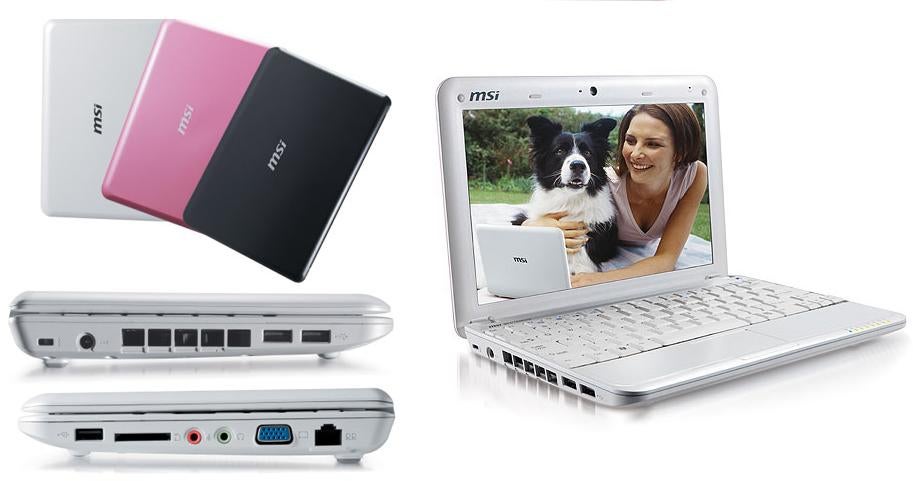
Mini notebook computers have been on the market for some time, but most users have found those diminutive systems a collection of compromises. For example, when portability reigns supreme, users would expect to give up battery life, comfortable keyboards, big screens and so on. Manufacturers had created what amounted to a Catch-22 situation with their mini-note offerings; portability came at the expense of usability!
MSI aims to undo that compromise with their Wind Notebook computer, an Intel Atom-powered system that tips the scales at just 2.3 pounds and is light on the pocket book at just $499. While one would think that lightweight and low cost would add up to disappointing performance and features, MSI is able to pull off what was once considered impossible, a sub-notebook computer that is end-user friendly.
MSI was able to accomplish that feat with the help of Intel’s Atom processor. The Atom was designed to sip power, while providing enough performance to run basic applications, Web browsers and hosted (SAAS) applications.
The MSI Wind NB U100 comes well equipped and can perform most business tasks. Purchasers will find a 1.6Ghz Atom Processor, 1Gbyte of DDR2 Ram, 10″ TFT (1024 x 600) display, near full size keyboard, 80 Gbyte Sata hard disk drive, 1.3 megapixel web cam and several ports. The system uses an Intel 945 GMS Chipset, offers integrated Wi-Fi (802.11b/g), Bluetooth 2.0 and a 10/100 RJ45 Ethernet port. The Wind comes with Windows XP Home edition preinstalled, along with a few productivity applications.